Make a Copyright or ID-Brush to stamp all your shared digital images: |
Over the following pages I will show you how to create a Photoshop Brush you can use to stamp your digital images with, a quick and easy way to make sure the viewer will always know where the picture(s) came from that you send via email or include in an online presentation they pull from.
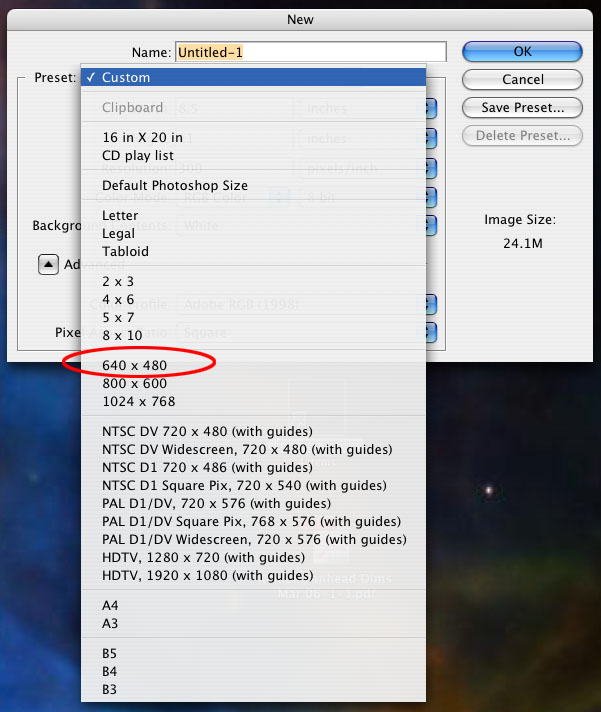
1) Open a new document in Photoshop (from the menu bar above: File > New). Select the default 640 x 480 preset in the New Document window. It will automatically be set at 72ppi (computer screen resolution). |
Next page | Previous Page The Phoenix Lightroom Enterprise | Location Scouting Services | RoundWorld | Wassup | Contact |